Computer Training Software with Skill Assessment
Increase the efficiency of your employees or students with Professor Teaches interactive computer training, for Microsoft Windows and Office, Intuit QuickBooks, and other business and educational software. Professor Teaches is ideal for Business, Government, Libraries, K-12 Classrooms, Universities, and Job Training Centers. Available in three platforms: desktop, network, and web/cloud based, to train multiple users, from small groups to thousands of users. Professor Teaches Web - Library Multi User Applications Learn More |
 Professor Teaches Web - Office 2019 & Windows Multi User Applications Learn More |
 Professor Teaches Web - Office 2016 & Windows Multi User Applications Learn More |
 Professor Teaches Web - QuickBooks Multi User Applications Learn More |
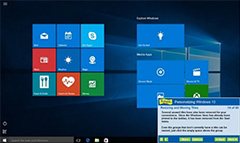 The convenient Start Menu makes it easy to complete everyday tasks. |
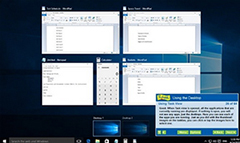 Use the Task View to open virtual desktops and organize all of your open applications. |
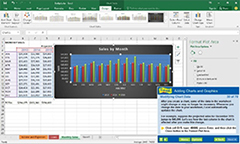 Learn how to add charts and graphics and modify chart data. |
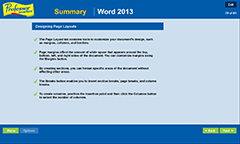 Professor Teaches provides end of chapter quizzes and summaries. |
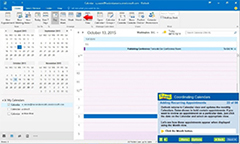 Coordinate calendars and add recurring appointments. |
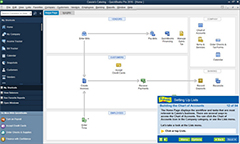 Set up the Chart of Accounts in Professor Teaches QuickBooks. |
Standard Tutorial Sets
Professor Teaches Premium Training Series Standard Tutorial Sets are bundles of our most popular courses. Click on a Professor Teaches Standard Tutorial Set below to view the course list.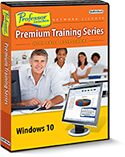 » Windows |
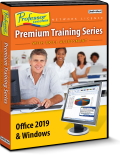 » Office 2019 & Windows |
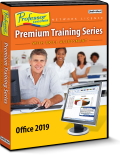 » Office 2019 |
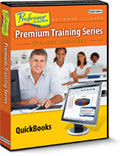 » QuickBooks |
Create & Purchase a Custom Tutorial Set
The Professor Teaches Premium Training Series Custom Tutorial Set allows you to create your own unique training library by selecting just the courses you want to include in your set. You can combine any of the Microsoft, Adobe, Business, or Web Training courses listed in the green box on the right. Click on the Custom Tutorial Set link below to get started.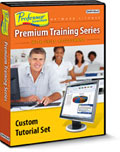 |
» Custom Tutorial Set |
Network vs. Desktop License*
Network Licenses are ideal for training large numbers of people at one or multiple locations. The software is installed at one central PC or location with a skill assessment-testing center. This allows the supervisor or teacher to track user/student test scores. Desktop Licenses are ideal for training large numbers of people at one location. The software is installed on each workstation so all user information, test scores, and Skill Assessment, can be accessed from the workstation.Skill Assessment Feature
The Skill Building Assessment feature allows users to review the information they have learned, respond to questions, and affirm their newly acquired skills.Professor Answers
The Professor Answers feature allows instant answers to user questions. Find answers to your questions faster and easier than Microsoft Help! Powerful Search and Browse features are just one click away to help you locate the specific training topic you need, right when you need it. Automatically, mini-training sessions on the topic are provided, to give you the knowledge and experience you need immediately.
Realistic
Realistic simulations provide an accurate learning environment so your transition to the actual application is fast & easy.
Realistic simulations provide an accurate learning environment so your transition to the actual application is fast & easy.

Interactive
More than just videos, you’ll interact to perform the correct action during each exercise for better learning & retention.
More than just videos, you’ll interact to perform the correct action during each exercise for better learning & retention.

Complete
Hundreds of learning topics & beginner through advanced subjects are included. No other training is more complete.
Hundreds of learning topics & beginner through advanced subjects are included. No other training is more complete.
No Other Training is as Complete!
• Hundreds of Computer Training Topics• 4 to 8 Hours of Training per Course
• Realistic Program Simulations
• Beginner to Advanced Topics
• Self-Paced Learning Objectives
• Introductions and Course Summaries
• Interactive Training Exercises
• Professional Voice Narration
• End-of-Chapter Quiz Questions
• Checkmarks for Completed Topics
• Glossary, Index, and Search
• Professor Answers for Instant Training